
Run commands after killing x amount of mobs
1) Create SCore variables


2) Set the values of the two SCore variables
- Set the
TYPEtoNUMBER
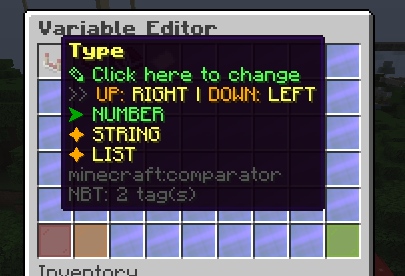
- Set the
FORtoPLAYER
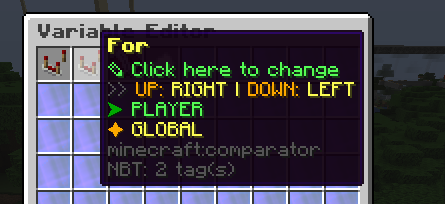
- Set the
Default Valueto0
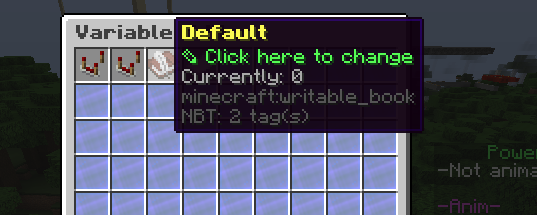
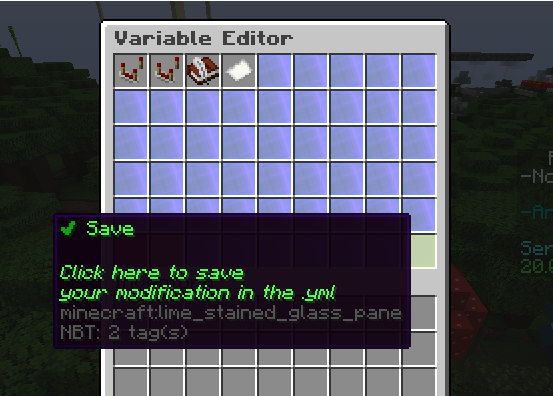
- Save the settings
4) Create the first EE event
- This will add value to the KILL-COUNT SCore variable every time we kill a mob
5) Create a PLAYER_KILL_ENTITY activator
> Set detailed entities
> Add the command
score variables modification player KILL-COUNT 1 %player%
> Create a placeholder condition
For this one, let's say, we want to do a 10-kill milestone.
> Create another placeholder condition
6) Create the second EE event
7) Create a PLAYER_KILL_ENTITY activator
> Set detailed entities
> Add the commands
score variables set player KILL-COUNT 0 %player%score variables modification player OBJ-COUNT 1 %player%
This is where you start adding commands like ei give %player% diamond 1 for custom rewards
The OBJ-COUNT SCore variable will be explained later in the guide
> Create a placeholder condition
To why part2 is equals to 9, unlike the milestone/objective/action counter method used in executable items, executable events does not have a proper in-built variable system and running score variables commands doesn't finish fast enough for the next activators to run.
What happens actually in the technical side is, when the activator runs, it sees the placeholder as 0 then turns it into 1. when the activator runs the activator agian, it sees 1 then turns it into 2.
> Create another placeholder condition
The number here must be the same as the one in the previous activator
Try it now
Copy this into ExecutableEvents and reload
From the SCore custom commands reference. Paste it into a config, run the plugin's reload command, and you have a working starting point to edit.
activators:
  activator0: # Activator ID, you can create as many activator on the activators list
    option: # Here goes an activator that is at least instance of player
    playerCommands:
    - ABSORPTION amount:5 time:200 # Gives the player absorption
  activator1: # Activator ID, you can create as many activator on the activators list
    option: # Here goes an activator that is at least instance of target
    targetCommands:
- ABSORPTION amount:5 time:200 # Gives the target absorptionPlugin used on this page
ExecutableEventsHook any server event and run conditions and commands on it.
- 5.0/5 from 13 reviews
- 281 servers running it right now (bStats)
- 29 downloads on SPlugins
€12.29
one-time, lifetime updates