
Creating a basic projectile
Create the EI Item.
- Every projectile from Score is launched by an ExecutableItem item, so you need that first
/ei create <id>

- Edit everything you want, as the material, item name, lore, etc.
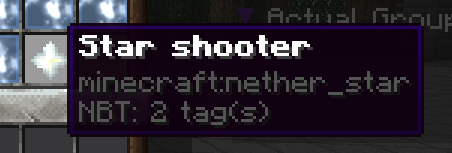
-
Now, let's create the way we are going to launch the projectile, in this case I want it to be when right clicking, that means, Activator:
PLAYER_RIGHT_CLICK -
Now, let's save the activator and item for a while, because we need to launch the projectile we want
The order explained here isn't the best, you can do it in the order you want, it is just done in a way you can understand how everything works step by step
Create the projectile
- Remember, we have the EI Item ready, it is just waiting for our projectile, to create it use the command
/score projectiles-create <id>

- You can select there the type of projectile, edit the particles, edit a lot of features, just do it as you want, edit everything you want, until your projectile is done, in this case I did:
- Projectile: SNOWBALL
- Invisible: true
- Silent: true
- Gravity: false
- Added some particles in the particle editor inside the gui.
- Once the projectile is done, save it, and let's go back into our EI Item.
Link the projectile created into our EI Item
-
Let's go back to the activator PLAYER_RIGHT_CLICK of our item, and in commands we are going to use the LAUNCH command, the format is
- LAUNCH <ID>
- Check LAUNCH Wiki
In this case, the ID is the id of the projectile, I set it to "ThisIsTheIdOfMyProjectile" so the command part would look like:
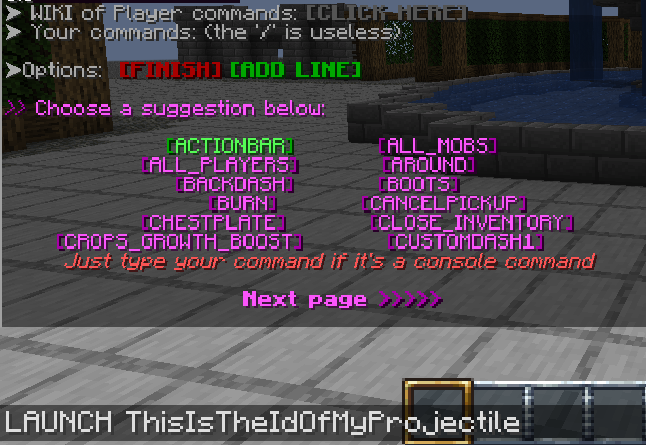
- Then press FINISH, save the activator, and save the item and.. TEST !
Related Documentation
Try it now
Copy this into ExecutableItems and reload
From the SCore custom commands reference. Paste it into a config, run the plugin's reload command, and you have a working starting point to edit.
activators:
  activator0: # Activator ID, you can create as many activator on the activators list
    option: # Here goes an activator that is at least instance of player
    playerCommands:
    - ABSORPTION amount:5 time:200 # Gives the player absorption
  activator1: # Activator ID, you can create as many activator on the activators list
    option: # Here goes an activator that is at least instance of target
    targetCommands:
- ABSORPTION amount:5 time:200 # Gives the target absorptionPlugin used on this page
ExecutableItemsCustom items with abilities, activators and commands — no code.
- 5.0/5 from 10 reviews
- 3.2K servers running it right now (bStats)
- 90 downloads on SPlugins
€19.99
one-time, lifetime updates