
Item disappears | Limit
This tutorial works on free version.
Make the item disappear after "x" uses
- If this is the case, let's say we want to set that our item can only be used 10 times, we should go to the main GUI Editor.
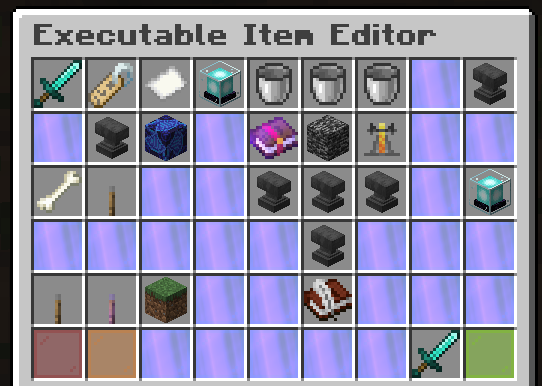
- And click on the bucket of "Usage"
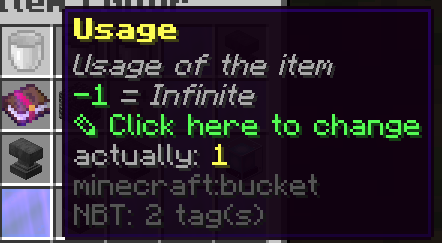
- Remember we want the item to disappear after 10 times the activator we created triggers, so we will set this value to "10"
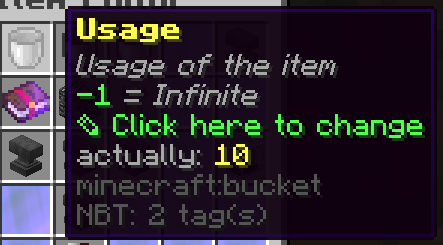
- And that's it.
Make the item NOT disappear.
- In this case, we would like our item to trigger the activator infinite times without the item disappearing, so we have to go to the main GUI Editor.
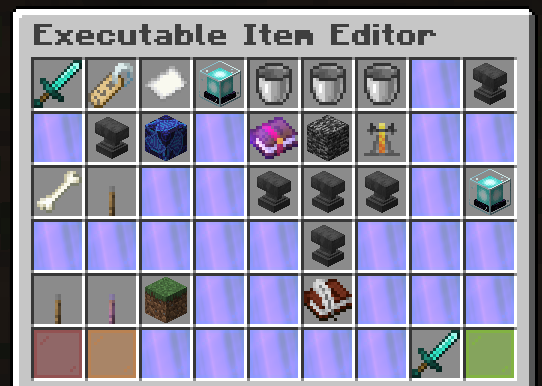
- And click on the bucket of "Usage"
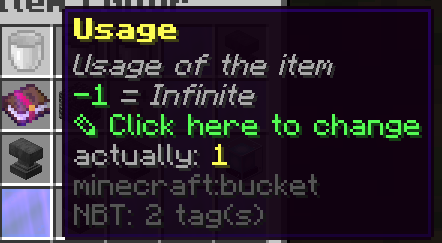
- And set this value to "-1"
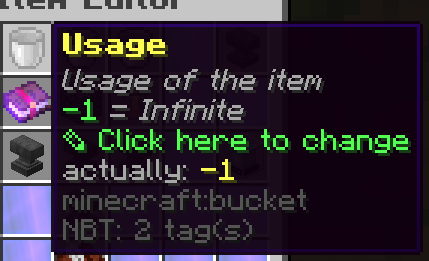
- Once did that, the item won't disappear after triggering the activator.
Discord
In case this didn't help you to achieve what you wanted or doesn't work for you, feel free to ask in the Discord of Ssomar plugins your question.
Try it now
Copy this into ExecutableItems and reload
From the SCore custom commands reference. Paste it into a config, run the plugin's reload command, and you have a working starting point to edit.
activators:
  activator0: # Activator ID, you can create as many activator on the activators list
    option: # Here goes an activator that is at least instance of player
    playerCommands:
    - ABSORPTION amount:5 time:200 # Gives the player absorption
  activator1: # Activator ID, you can create as many activator on the activators list
    option: # Here goes an activator that is at least instance of target
    targetCommands:
- ABSORPTION amount:5 time:200 # Gives the target absorptionPlugin used on this page
ExecutableItemsCustom items with abilities, activators and commands — no code.
- 5.0/5 from 10 reviews
- 3.2K servers running it right now (bStats)
- 89 downloads on SPlugins
€19.99
one-time, lifetime updates
Created Oct 26, 2025Last updated Jun 22, 2026 by Ssomar
Edit this page on GitHub