
🔗 Create a support gem
A support gem has no effect of its own. It boosts the gems in the sockets next to it.
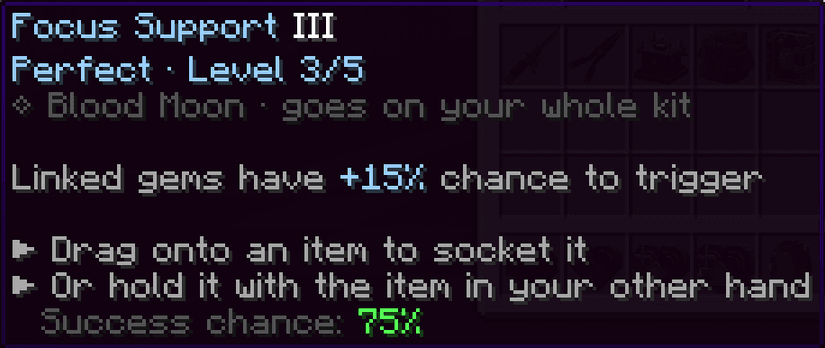
We will make the Focus Support: +5% chance per level for the linked gems.
The file
Create gems/custom/focus.yml:
name: '<#9ad0ff>Focus Support'
color: '#9ad0ff'
model: 'cut:brilliant'
max-level: 5
tiers: [1, 2, 4, 5]
description:
  - '<gray>Linked gems have <#9ad0ff>+%bonus%%</#9ad0ff> <gray>chance to trigger'
values:
  bonus: '5 * level'
support:
  chance: '5 * level'
applicable-on: ['#weapons', '#armor', '#tools', '#bows', 'ei:*']
apply: {chance: '90 - 5 * level', on-fail: DESTROY_GEM}
obtain: {weight: 6}
The support section is what makes it a support gem. It needs no activators. Combine as many of these as you like:
support:
  levels: '1 + floor(level / 3)'   # extra levels for the linked gems
  chance: '5 * level'              # added to their chance, in %
  twin: '4 + 3 * level'            # chance in % that they trigger twice
  xp: '20 * level'                 # extra XP for them, in %
values is only there for the description. The numbers that count are in support, so keep the two identical.
Note
support.chance adds to the chance of an activator. A gem that has no chance always triggers, so it gains nothing from it.
Test it
Put the support next to a gem with a chance:
/eg reload
/give @s netherite_sword
/eg sockets YourName 2
/eg apply YourName blood_opal 1
/eg apply YourName focus 5
The Blood Opal goes from 12% to 37%. Sockets count in order, so with 3 sockets, a support in the middle boosts both of the others.
Created Nov 8, 2026Last updated Nov 8, 2026 by Ssomar
Edit this page on GitHub