
💎 Create your first gem
We will make the Blood Opal: hits have a chance to deal extra damage and make the target bleed. It needs no 3D model.
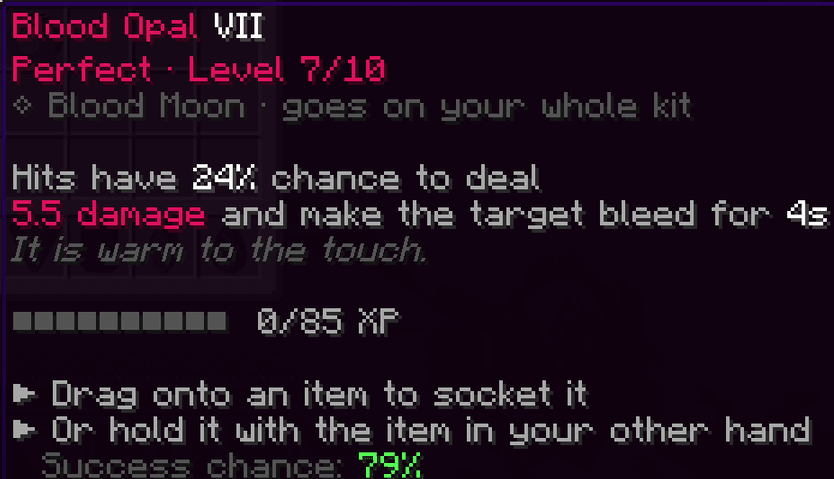
In the commands of this wiki, replace YourName with your name. Unlike vanilla commands, /eg commands don't accept @s.
1. Create the file
/eg new custom blood_opal oval #e0115f
| Part | Meaning |
|---|---|
custom | The category. It is also the folder. It is created if needed. |
blood_opal | The id of the gem. Lowercase and underscores. |
oval | The shape: brilliant, oval, emerald, marquise, pear or trillion. |
#e0115f | The colour. |
The file is created and loaded at once:
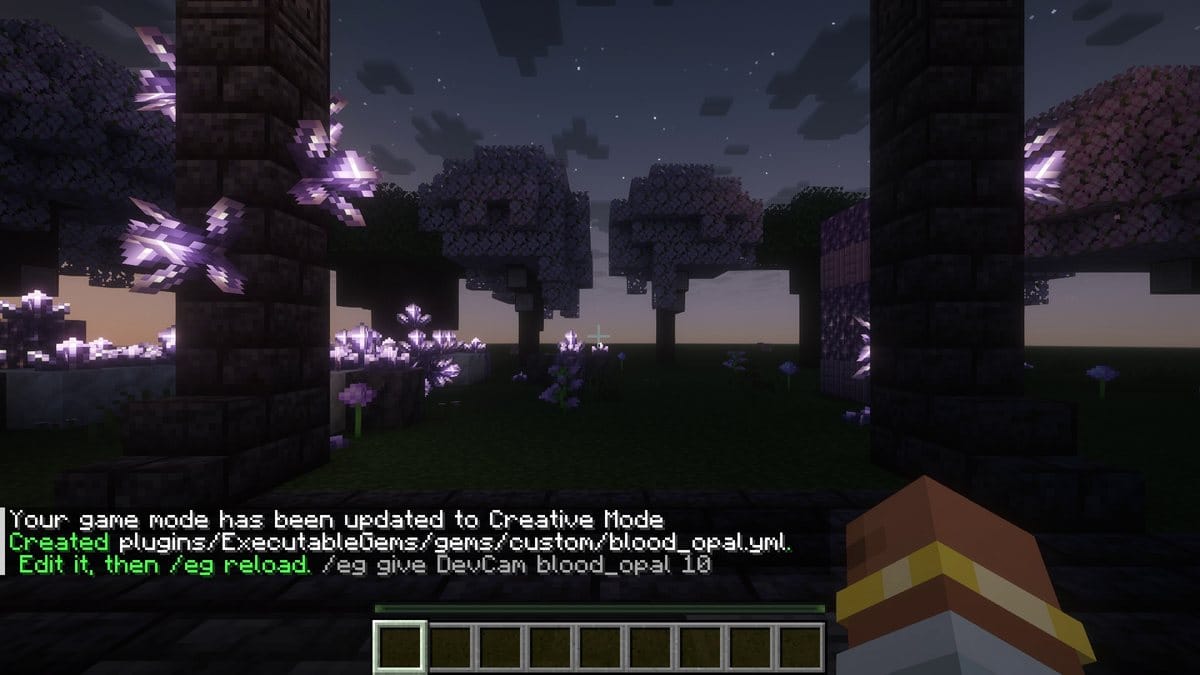
Try it right away:
/eg give YourName blood_opal 10
The gem already works, with the template's effect. Now open plugins/ExecutableGems/gems/custom/blood_opal.yml.
2. Name and description
name: '<#e0115f>Blood Opal'
color: '#e0115f'
model: 'cut:oval'
max-level: 10
tiers: [3, 6, 9, 10]
description:
  - '<gray>Hits have <white>%chance%%</white> chance to deal'
  - '<#e0115f>%damage% damage</#e0115f> <gray>and make the target bleed for <white>%seconds%s'
lore:
  - 'It is warm to the touch.'
%chance%, %damage% and %seconds% are values, which we define next. %% writes a % sign.
3. Values
Values are the numbers that change with the level. Write them once, as a formula of level:
values:
  chance: '10 + 2 * level'
  damage: '2 + 0.5 * level'
  seconds: '2 + floor(level / 3)'
| Level | chance | damage | seconds |
|---|---|---|---|
| 1 | 12 | 2.5 | 2 |
| 5 | 20 | 4.5 | 3 |
| 10 | 30 | 7 | 5 |
4. Where it goes, and how hard it is to socket
applicable-on: ['#swords', '#axes', 'ei:*']
apply:
  chance: '100 - 3 * level'
  on-fail: DESTROY_GEM
ei:* also allows every ExecutableItems item. At level 10, the chance is 70%, and if it fails the gem shatters. Use KEEP_GEM to give it back instead.
5. XP
xp:
  enabled: true
  per-hit: 1
  per-kill: 10
  to-next: '15 + 10 * level'
Level 1 to 2 needs 25 XP, level 9 to 10 needs 105 XP.
6. The effect
This is a normal ExecutableItems activator. In activators, a value is written %gem_<name>%.
activators:
  bleed:
    option: PLAYER_HIT_ENTITY
    chance: '%gem_chance%'
    silenceOutput: true
    detailedSlots: [-1]
    entityCommands:
      - 'DAMAGE %gem_damage%'
      - 'effect give %entity_uuid% wither %gem_seconds% 0 true'
      - 'eg fx burst %entity_uuid% %gem_color% 20'
      - 'execute at %entity_uuid% run playsound minecraft:block.amethyst_block.hit player @a ~ ~ ~ 1 0.7'
detailedSlots: [-1]: the item must be in the main hand.entityCommands: the commands run on the entity that was hit.eg fx burst: a burst of particles in the gem's colour.
7. The whole file
name: '<#e0115f>Blood Opal'
color: '#e0115f'
model: 'cut:oval'
max-level: 10
tiers: [3, 6, 9, 10]
description:
  - '<gray>Hits have <white>%chance%%</white> chance to deal'
  - '<#e0115f>%damage% damage</#e0115f> <gray>and make the target bleed for <white>%seconds%s'
lore:
  - 'It is warm to the touch.'
values:
  chance: '10 + 2 * level'
  damage: '2 + 0.5 * level'
  seconds: '2 + floor(level / 3)'
applicable-on: ['#swords', '#axes', 'ei:*']
apply:
  chance: '100 - 3 * level'
  on-fail: DESTROY_GEM
xp:
  enabled: true
  per-hit: 1
  per-kill: 10
  to-next: '15 + 10 * level'
activators:
  bleed:
    option: PLAYER_HIT_ENTITY
    chance: '%gem_chance%'
    silenceOutput: true
    detailedSlots: [-1]
    entityCommands:
      - 'DAMAGE %gem_damage%'
      - 'effect give %entity_uuid% wither %gem_seconds% 0 true'
      - 'eg fx burst %entity_uuid% %gem_color% 20'
      - 'execute at %entity_uuid% run playsound minecraft:block.amethyst_block.hit player @a ~ ~ ~ 1 0.7'
8. Reload and test
/eg reload
Read the console: if you made a mistake, it says which one. Then test it:
/give @s netherite_sword
/eg apply YourName blood_opal 8
/eg dummy
/eg luck YourName on
Each hit now deals the bonus damage, shown as floating numbers:
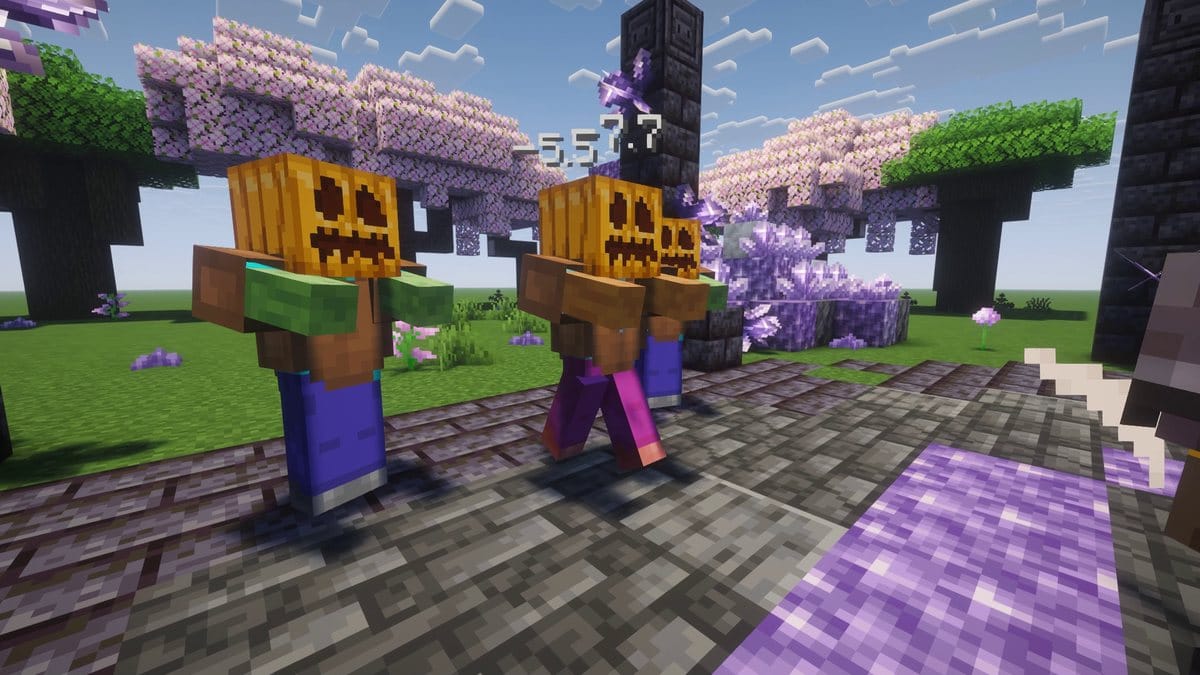
Turn off the luck with /eg luck YourName off and check that the gem triggers as often as you want.