
本页面借助 AI 从英文翻译而来。改进此翻译或阅读英文原文。
开关(On / Off Switch)
要求+
- ExecutableItems Premium
注意:请先创建 2 个激活器。
第一个激活器
创建变量
- 需要创建一个变量,这样我们就有一个标识符来表示开关是开启还是关闭
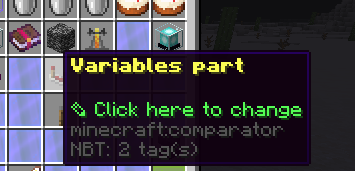
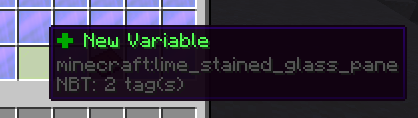
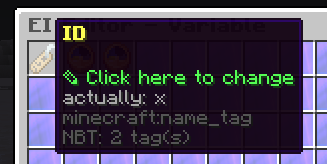
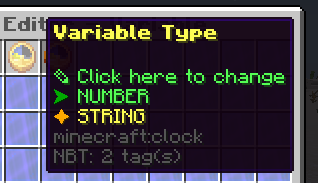
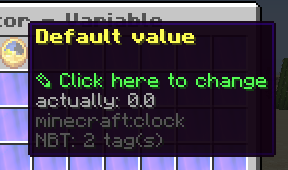
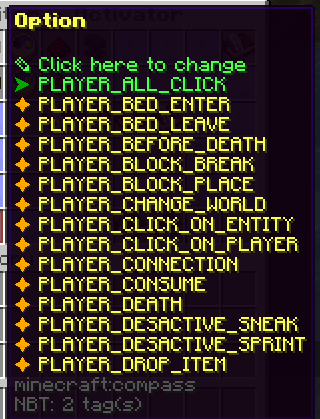
创建你的物品,并添加一个激活器
- 在本例中使用 PLAYER_ALL_CLICK
Commands
- 输入你想要执行的命令
Variables Modification
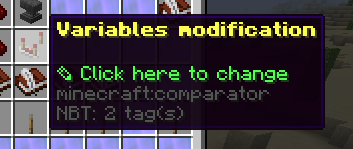
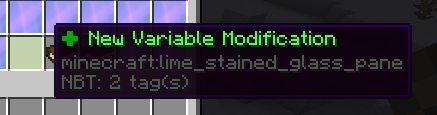
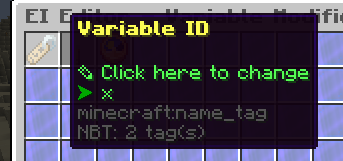
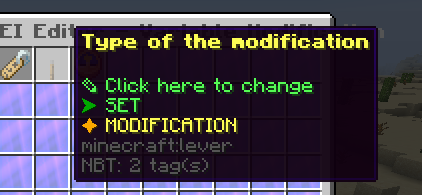
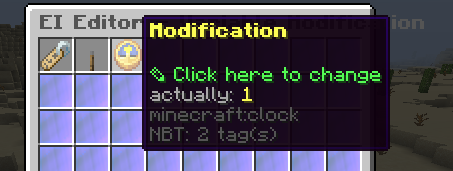
占位符条件
- 这用于控制哪个激活器将会运行
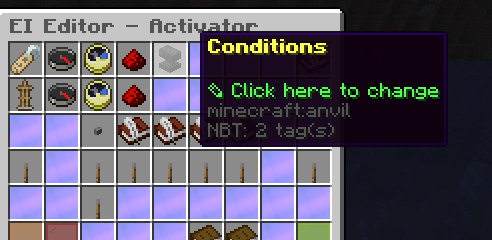
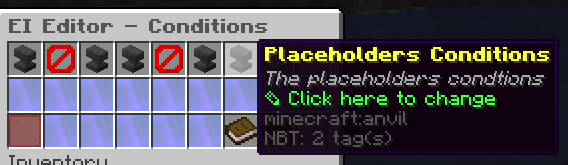
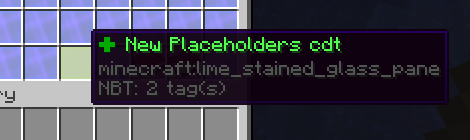
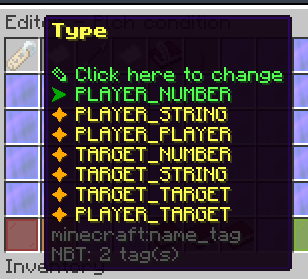
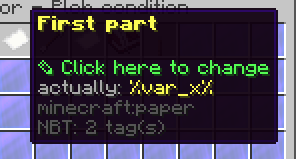
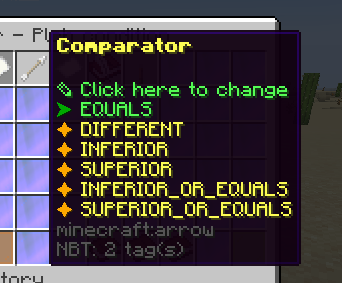
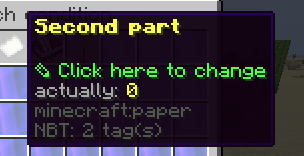
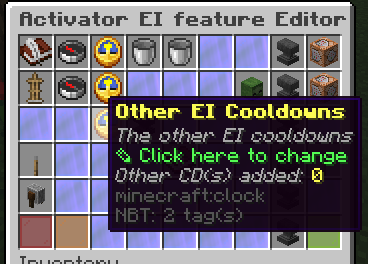
将另一个激活器的冷却添加到物品本身
- 例如,该 EI 物品的 ID 是
onoff-demo。然后你需要点击此图标,再按照图片操作。
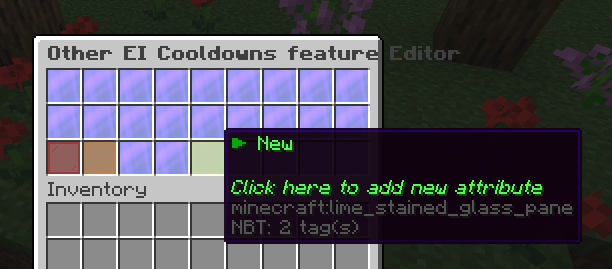
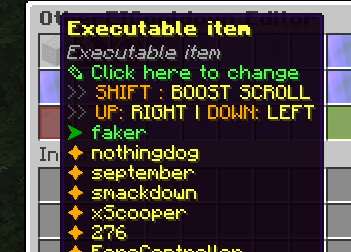
例如,开关的 ID 是 "faker",那么就选择 "faker"。

自 5.0 发布以来,激活器 ID 从 "activator0" 开始,而不是 "activator1"。总之,你需要选择第二个激活器,因为激活器是从上到下依次运行的。
信息
这个选项很重要,因为如果没有冷却,它会直接冲过第二个本应用来关闭激活器的激活器
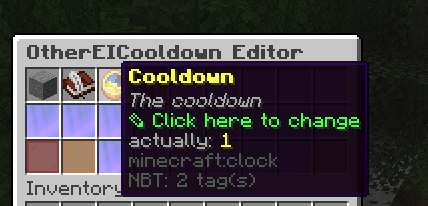
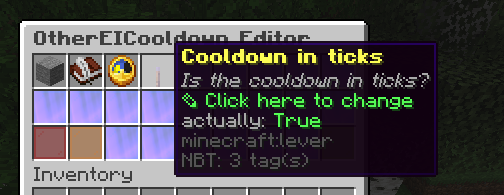
如果你希望物品可以连续快速使用,建议将其设置为 true。一个 tick 就足以防止上面提到的冲过现象。
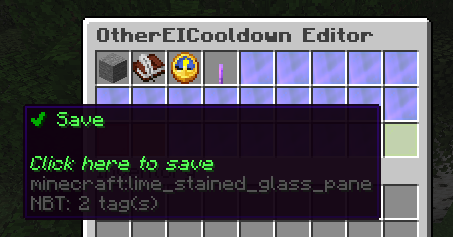
第二个激活器
- 我们将再次使用
PLAYER_ALL_CLICK
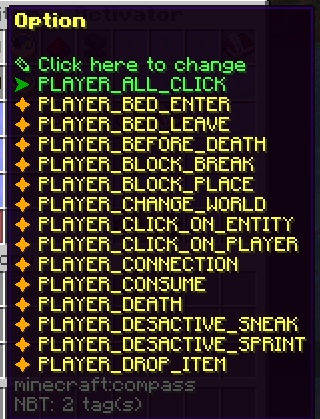
Commands
- 输入你想要执行的命令
Variables Modification
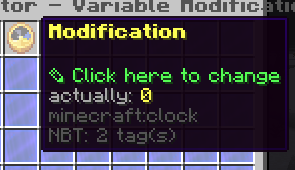
占位符条件
- 这用于控制哪个激活器将会运行
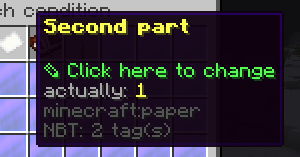
将另一个激活器的冷却添加到物品本身
- 例如,该 EI 物品的 ID 是
onoff-demo。然后你需要点击此图标,再按照图片操作。
例如,开关的 ID 是 "faker",那么就选择 "faker"。
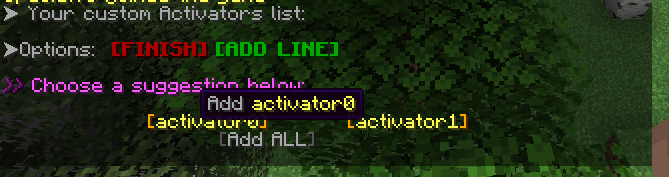
自 5.0 发布以来,激活器 ID 从 "activator0" 开始,而不是 "activator1"。总之,你需要选择第二个激活器,因为激活器是从上到下依次运行的。
信息
这个选项很重要,因为如果没有冷却,它会直接冲过第二个本应用来关闭激活器的激活器
如果你希望物品可以连续快速使用,建议将其设置为 true。一个 tick 就足以防止上面提到的冲过现象。
保存 EI 物品
- 它应该看起来像这样(我们添加了命令来显示 ON(activator1)和 OFF(activator2),以向你展示它是如何工作的
物品配置
name: '&e&lOn/Off Demo'
lore: []
material: LEVER
glow: true
usage: 1
usageLimit: -1
hiders:
  hideEnchantments: false
  hideUnbreakable: false
  hideAttributes: false
  hidePotionEffects: false
  hideUsage: true
  hideDye: false
enchantments: {}
restrictions:
  cancel-item-place: false
variables:
  x:
    variableName: x
    type: NUMBER
    default: 0.0
attributes: {}
activators:
  activator0:
    name: '&eToggle-On'
    option: PLAYER_ALL_CLICK
    typeTarget: NO_TYPE_TARGET
    usageModification: 0
    cancelEvent: true
    silenceOutput: false
    autoUpdateItem: false
    otherEICooldowns:
      cd0:
        executableItem: onoff-demo
        activators:
        - activator1
        cooldown: 1
        isCooldownInTicks: true
    requiredItems:
      errorMessage: ''
    requiredExecutableItems:
      errorMessage: ''
    detailedSlots:
    - -1
    playerCommands:
    - SENDMESSAGE Toggled On
    playerConditions: {}
    worldConditions: {}
    itemConditions: {}
    customConditions: {}
    placeholdersConditions:
      plchC1:
        type: PLAYER_NUMBER
        comparator: EQUALS
        part1: '%var_x%'
        part2: '0.0'
        cancelEventIfNotValid: true
        messageIfNotValid: '&e'
    variablesModification:
      varModif0:
        variableName: x
        type: SET
        modification: 1.0
  activator1:
    name: '&eToggle-Off'
    option: PLAYER_ALL_CLICK
    typeTarget: NO_TYPE_TARGET
    usageModification: 0
    cancelEvent: true
    silenceOutput: false
    autoUpdateItem: false
    otherEICooldowns:
      cd0:
        executableItem: onoff-demo
        activators:
        - activator0
        cooldown: 1
        isCooldownInTicks: true
    requiredItems:
      errorMessage: ''
    requiredExecutableItems:
      errorMessage: ''
    detailedSlots:
    - -1
    playerCommands:
    - SENDMESSAGE Toggled Off
    playerConditions: {}
    worldConditions: {}
    itemConditions: {}
    customConditions: {}
    placeholdersConditions:
      plchC1:
        type: PLAYER_NUMBER
        comparator: EQUALS
        part1: '%var_x%'
        part2: '1.0'
        cancelEventIfNotValid: true
        messageIfNotValid: '&e'
    variablesModification:
      varModif0:
        variableName: x
        type: SET
        modification: 0.0
最后的话
如果你有任何问题,或者觉得本指南不够清晰,欢迎在 Discord 中提问。
我们会帮助你!😁😁
立即试用
复制到 ExecutableItems 中并重载
来自 SCore 自定义命令参考。将其粘贴到配置中,运行插件的重载命令,你就有了一个可以直接编辑的可用起点。
activators:
  activator0: # Activator ID, you can create as many activator on the activators list
    option: # Here goes an activator that is at least instance of player
    playerCommands:
    - ABSORPTION amount:5 time:200 # Gives the player absorption
  activator1: # Activator ID, you can create as many activator on the activators list
    option: # Here goes an activator that is at least instance of target
    targetCommands:
- ABSORPTION amount:5 time:200 # Gives the target absorption本页使用的插件
ExecutableItems带有能力、激活器和命令的自定义物品,无需写代码。
- 5.0/5,共 10 条评价
- 当前有 3.1K 个服务器正在运行(bStats)
- 在 SPlugins 上已有 103 次下载
€19.99
一次性付款,终身更新
创建于 2026年11月13日由 Ssomar 最后更新于 2026年11月13日
在 GitHub 上编辑此页